
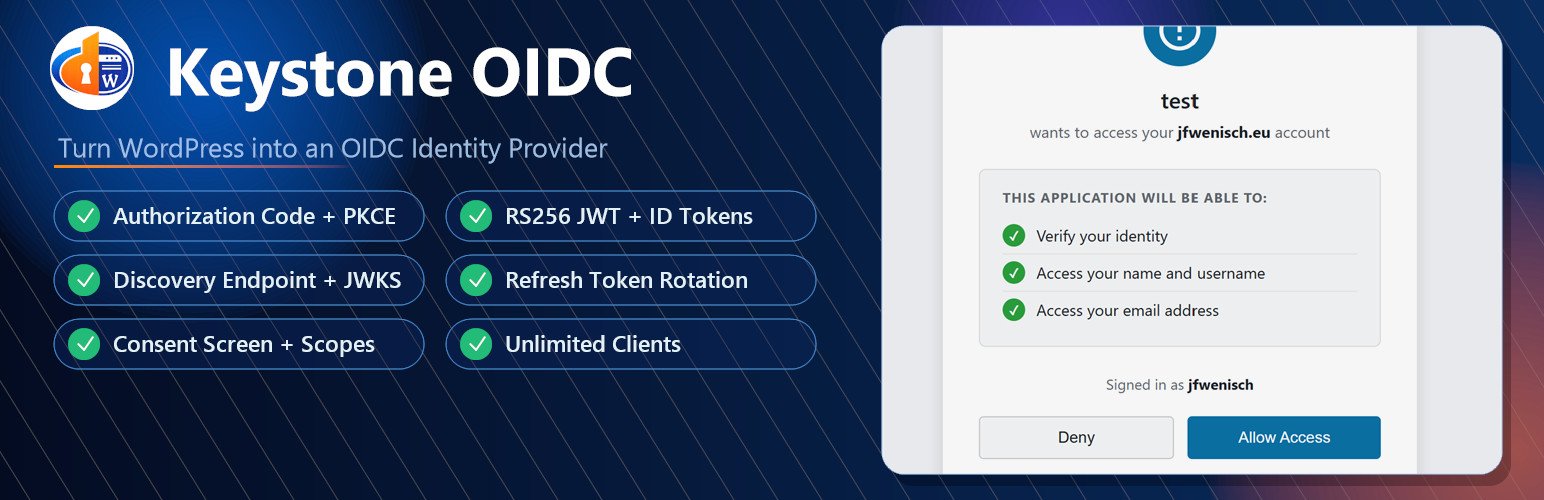
WordPress is usually treated as the application people log in to. But in many projects, the more useful setup is the opposite: WordPress becomes the identity provider, and other applications use the existing WordPress user accounts for login.
That is exactly what an OpenID Connect provider does.
With Keystone OIDC, a WordPress site can act as an OIDC identity provider. Other applications, dashboards, internal tools, mobile apps, CLIs, or OIDC-compatible services can authenticate users against the WordPress user database instead of maintaining another account system.
The short version: if your users already exist in WordPress, you can use WordPress as the central login source for external applications.
What Is an OIDC Provider?
OpenID Connect, usually shortened to OIDC, is an identity layer built on top of OAuth 2.0. OAuth 2.0 is mainly about authorization: allowing an application to access something. OIDC adds authentication: proving who the user is.
An OIDC provider is the system that authenticates the user and issues tokens to the client application. Well-known examples are Google, Microsoft Entra ID, Auth0, Keycloak, and many enterprise identity platforms.
For smaller teams, communities, membership sites, customer portals, and WordPress-based businesses, running a full external identity platform can be unnecessary. If WordPress is already the place where users register, log in, and manage their profiles, it can be practical to let WordPress provide the identity layer too.
Why Use WordPress as an OIDC Provider?
Using WordPress as an OIDC provider is useful when WordPress is already your source of truth for users.
Instead of creating accounts in every connected application, users can log in with the same WordPress credentials. This makes single sign-on easier to manage and reduces duplicated user data across systems.
There are several practical advantages:
- One user database: external applications authenticate against existing WordPress users.
- Less account duplication: users do not need a separate password for every connected tool.
- Faster SSO setup: many modern applications already support OIDC discovery.
- No external identity service required: useful for self-hosted, privacy-conscious, or budget-sensitive projects.
- Works with many app types: dashboards, internal tools, mobile apps, SPAs, CLIs, and other OIDC-aware clients.
This approach is especially nice for personal infrastructure, member communities, client portals, LMS setups, private tools, and self-hosted services where WordPress is already central to the user experience.
Keystone OIDC: WordPress as an OpenID Connect Provider
Keystone OIDC is a WordPress plugin that turns a WordPress installation into an OpenID Connect identity provider.
It exposes standard OIDC and OAuth 2.0 endpoints so other applications can authenticate users through WordPress. The plugin is also available on GitHub at wenisch-tech/wordpress-keystone-oidc, where the README documents the endpoints, token behavior, client management, and security model.
Keystone OIDC supports the core features you would expect from a practical OIDC provider:
- OIDC Authorization Code Flow
- PKCE support, including
S256andplain - RS256-signed access tokens and ID tokens
- Refresh tokens with single-use rotation
- OIDC Discovery for automatic client configuration
- JWKS endpoint for public key verification
- Multiple OIDC clients managed in the WordPress admin
- Client secret reset with secrets shown only once
- Consent screen for user approval
- Signing key rotation from the admin panel
- Automatic cleanup of expired authorization codes and revoked tokens
That combination matters because it makes WordPress usable as a real identity provider, not just a custom login bridge.
The OIDC Endpoints
After installing Keystone OIDC, the provider uses a custom issuer path below the WordPress site root.
The most important endpoint is the discovery document:
https://your-wordpress-site.example.com/wenisch-tech/keystone-oidc/.well-known/openid-configurationMost OIDC client libraries can read this URL and configure themselves automatically.
Keystone OIDC provides these standard endpoints:
/wenisch-tech/keystone-oidc/.well-known/openid-configuration
/wenisch-tech/keystone-oidc/oauth/authorize
/wenisch-tech/keystone-oidc/oauth/token
/wenisch-tech/keystone-oidc/oauth/userinfo
/wenisch-tech/keystone-oidc/oauth/jwks
The plugin also routes compatibility aliases under:
/wenisch-tech/keystone-oidc/protocol/openid-connect/*Those aliases help clients that expect Keycloak-style paths, although new integrations should use the discovery document.
How Login Works
The typical flow looks like this:
- A user opens an external application.
- The application redirects the user to the WordPress OIDC authorization endpoint.
- If the user is not logged in, WordPress handles the normal login process.
- Keystone OIDC shows a consent screen for the requested scopes.
- After approval, WordPress redirects back to the application with an authorization code.
- The application exchanges the code for tokens at the token endpoint.
- The application receives an access token, ID token, and refresh token.
- The application can call the UserInfo endpoint to retrieve user claims.
For the scopes openid profile email, the UserInfo response can include claims such as:
{
  "sub": "42",
  "name": "Jane Doe",
  "given_name": "Jane",
  "family_name": "Doe",
  "preferred_username": "jane",
  "email": "jane@example.com",
  "email_verified": true
}
The sub claim is the WordPress user ID as a string. preferred_username maps to the WordPress user_login, and email maps to the WordPress user_email.
Roles and capabilities are not emitted today. If the connected application needs authorization rules, it should manage them itself or wait for a dedicated roles/groups claim in a future provider version.
How to Set Up WordPress as an OIDC Provider
1. Install Keystone OIDC
Install Keystone OIDC from WordPress.org or download the release from the GitHub repository.
The plugin requires:
- WordPress 5.6 or higher
- PHP 7.4 or higher
- PHP
opensslextension - PHP
jsonextension - Pretty permalinks enabled
Pretty permalinks are important because the plugin uses custom rewrite rules for the OIDC endpoints.
2. Create an OIDC Client
In the WordPress admin, open:
OIDC Provider -> Add ClientCreate a client with:
- Application name
- One or more redirect URIs
- Allowed scopes such as
profileandemail
The plugin generates a Client ID and Client Secret. Copy the secret immediately because it is shown only once.
3. Configure the Client Application
In the external application, use the Keystone OIDC discovery URL:
https://your-wordpress-site.example.com/wenisch-tech/keystone-oidc/.well-known/openid-configurationThen enter:
- Client ID
- Client Secret
- Redirect URI
- Scope: at minimum
openid, optionallyprofile email
If the application supports OIDC discovery, it can usually find the authorization endpoint, token endpoint, UserInfo endpoint, and JWKS URI automatically.
4. Test the Login Flow
Open the external application and choose its OIDC login option. You should be redirected to WordPress, asked to log in if necessary, shown the consent screen, and then redirected back to the application.
If the redirect fails, check that the redirect URI configured in the client application exactly matches the URI registered in WordPress. Scheme, host, path, and trailing slash must match.
Why Multiple Clients Matter
Real SSO setups rarely stop at one application.
You might want WordPress login for a dashboard today, a documentation portal next week, and a mobile app later. Each connected application should have its own client configuration, redirect URIs, scopes, and secret.
Keystone OIDC includes multi-client management in the admin UI, so you can create and manage as many OIDC clients as needed.
This is an important practical difference from some WordPress OAuth/OIDC server plugins. For example, the miniOrange WordPress.org listing says the free version supports a single client application, while the premium version supports multiple client applications. Keystone OIDC is designed around multi-client usage without making that a premium-only feature.
For self-hosters, agencies, developers, and small teams, this makes the setup much more flexible. You can start with one app and add more later without redesigning the authentication layer.
Security Features Worth Noting
Authentication plugins deserve careful security decisions. Keystone OIDC includes several features that make it suitable for real OIDC integrations.
PKCE support: PKCE protects public clients such as mobile apps and single-page applications where a client secret cannot be safely stored.
RS256 JWT tokens: ID tokens and access tokens are signed with an RSA key pair. Clients can verify tokens using the public key from the JWKS endpoint.
JWKS endpoint: Applications can verify tokens without sharing the private signing key.
Hashed client secrets: Client secrets are generated securely, shown once, and stored hashed using WordPress password hashing.
Refresh token rotation: Refresh tokens are single-use. When a refresh token is used, it is revoked and replaced with a new one.
Signing key rotation: The admin settings page can rotate signing keys. Previously issued tokens become invalid after rotation.
Consent screen: Users can explicitly approve the application and requested scopes.
These are the details that make the plugin feel like an OIDC provider rather than just a login redirect helper.
When WordPress as an OIDC Provider Is a Good Fit
WordPress as an OIDC provider is a good fit when:
- WordPress already owns the user accounts.
- You want SSO into one or more external applications.
- You prefer a self-hosted setup.
- You do not want another SaaS identity provider.
- Your applications already support OAuth 2.0 or OpenID Connect.
- You need multiple client applications.
- You want standard OIDC discovery and JWT verification.
It may not be the right fit if you need enterprise identity governance, advanced MFA policies, SCIM provisioning, organization-wide device policies, or complex role/group claims today. In those cases, a dedicated identity provider such as Keycloak, Auth0, Microsoft Entra ID, or another IAM platform may be more appropriate.
But for many WordPress-centered projects, Keystone OIDC gives you the useful middle ground: standard OIDC without turning identity into a separate infrastructure project.
Conclusion
Using WordPress as an OIDC provider is a practical way to add single sign-on to external applications when your users already live in WordPress.
Keystone OIDC turns WordPress into an OpenID Connect identity provider with Authorization Code Flow, PKCE, RS256 JWTs, OIDC discovery, JWKS, refresh tokens, consent screens, and multi-client management.
That means your WordPress site can become the central login system for dashboards, apps, portals, tools, and services without forcing every connected application to maintain its own user database.
For developers and site owners who want a clean, self-hosted WordPress OIDC provider, Keystone OIDC is built for exactly that use case.
FAQ
Can WordPress be used as an OIDC provider?
Yes. With a plugin such as Keystone OIDC, WordPress can expose OpenID Connect and OAuth 2.0 endpoints so external applications can authenticate users against the WordPress user database.
What is the discovery URL for Keystone OIDC?
The discovery URL is:
/wenisch-tech/keystone-oidc/.well-known/openid-configurationUse it below your WordPress site root, for example:
https://example.com/wenisch-tech/keystone-oidc/.well-known/openid-configurationDoes Keystone OIDC support multiple clients?
Yes. Keystone OIDC includes an admin UI for creating and managing multiple OIDC clients.
Does Keystone OIDC support PKCE?
Yes. Keystone OIDC supports PKCE with both S256 and plain code challenge methods.
Are WordPress roles included in OIDC tokens?
Not currently. Keystone OIDC exposes standard identity claims such as subject, name, username, and email, but it does not currently emit WordPress roles or capabilities in the UserInfo response or ID token.
Is Keystone OIDC only for WordPress-to-WordPress login?
No. Any application that supports OpenID Connect or OAuth 2.0 can potentially use WordPress as the identity provider, including dashboards, mobile apps, internal tools, portals, and other OIDC-aware services.