When you’re developoing an uptime monitor like Kaiors, or in general checking whether a container image is actually pullable is a surprisingly deep problem. The naive approach — spinning up a Docker daemon and running docker pull — is heavy, requires socket access, and introduces a serious security risk in most environments. Kairos solves this differently: by speaking directly to the OCI Distribution API, it can validate image pullability with nothing but plain HTTPS calls.
How Docker Pull Actually Works
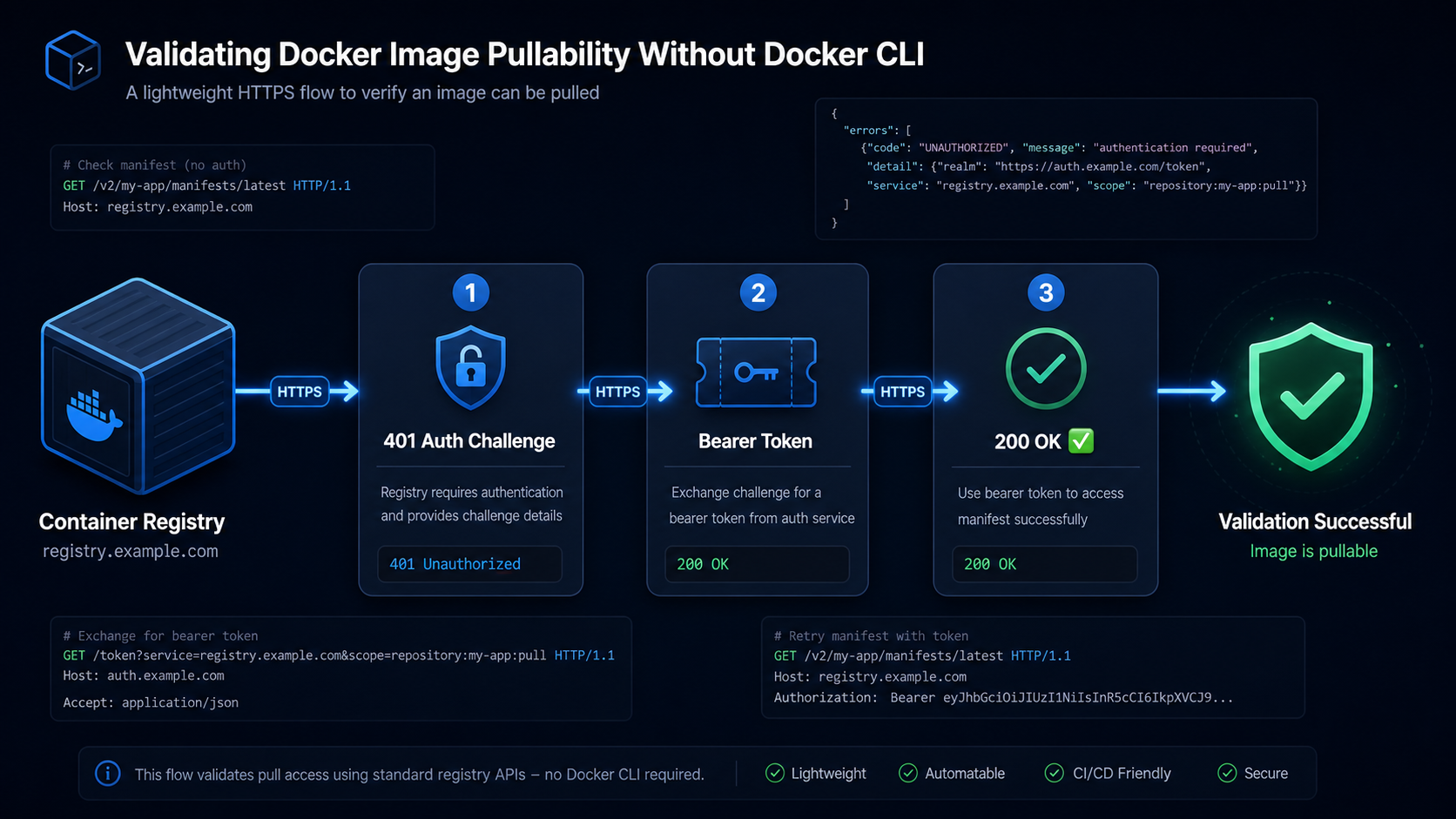
Before skipping the CLI, it helps to understand what docker pull does under the hood. Every container registry — Docker Hub, GitHub Container Registry, your self-hosted Harbor or JFrog Artifactory — implements the OCI Distribution Specification. A pull is really just a sequence of three HTTP steps:
- Authenticate — obtain a bearer token from the registry’s auth endpoint
- Fetch the manifest — retrieve the image manifest by name and tag
- Download blobs — pull each layer referenced in the manifest
To validate pullability, you only need steps 1 and 2. If you can successfully authenticate and retrieve the manifest, the image exists, the credentials work, and the layers are reachable. You never need to actually download gigabytes of layer data.
Step 1 — Authentication
Most registries use token-based authentication described in the Docker Registry Auth Specification. When you hit the manifest endpoint unauthenticated, the registry responds with:
textHTTP 401 Unauthorized
WWW-Authenticate: Bearer realm="https://auth.docker.io/token",service="registry.docker.io",scope="repository:library/nginx:pull"
You parse the WWW-Authenticate header and make a token request:
GET https://auth.docker.io/token
  ?service=registry.docker.io
  &scope=repository:library/nginx:pull
For private registries, add Basic credentials:
GET https://registry.example.com/token
  ?service=registry.example.com
  &scope=repository:myapp/backend:pull
Authorization: Basic base64(user:password)
The response is a short-lived Bearer token you attach to all subsequent requests.
Step 2 — Fetching the Manifest
With the token in hand, request the image manifest:
GET /v2/{name}/manifests/{reference}
Authorization: Bearer <token>
Accept: application/vnd.oci.image.manifest.v1+json,
        application/vnd.docker.distribution.manifest.v2+json,
        application/vnd.docker.distribution.manifest.list.v2+json
A 200 OK response means the image exists and is pullable. That’s all you need. The response body contains the full manifest — digest, layers, config — but you don’t need to download any of it for a health check.
The important Accept headers tell the registry you support both OCI manifests and Docker manifest lists (multi-arch images). Without them, some registries return a legacy v1 manifest or a 404.
Handling Multi-Architecture Images
Modern images are often manifest lists (also called “fat manifests”) that bundle multiple architecture-specific images under one tag. A manifest list response looks like:
{
  "schemaVersion": 2,
  "mediaType": "application/vnd.docker.distribution.manifest.list.v2+json",
  "manifests": [
    { "platform": { "os": "linux", "architecture": "amd64" }, "digest": "sha256:abc..." },
    { "platform": { "os": "linux", "architecture": "arm64" }, "digest": "sha256:def..." }
  ]
}
For a pullability check, receiving this response is already a success — the tag is valid and resolvable. If you want to validate a specific architecture, you make a second manifest request using the digest from the relevant entry.
Step 3 — No Docker Socket Needed
The entire flow above is pure HTTPS. Kairos implements it in Java without ever touching a Docker socket or spawning a subprocess. The key advantages:
- No privileged access — no need to mount
/var/run/docker.sockinto your pod - No daemon overhead — no Docker or containerd process running just for checks
- Works anywhere — runs inside a distroless container, a serverless function, or a restricted Kubernetes namespace
- Fast — a manifest check typically completes in under 500 ms, even for remote registries
- Auditable — standard HTTPS traffic, fully loggable by any proxy or WAF
Putting It Together — The Full Flow
1.  GET /v2/{image}/manifests/{tag}        → 401 + WWW-Authenticate header
2.  GET {realm}?service=...&scope=...      → { "token": "eyJ..." }
3.  GET /v2/{image}/manifests/{tag}        → 200 OK  ✅  image is pullable
                Authorization: Bearer eyJ...
If step 3 returns:
200— image exists and is pullable ✅401— credentials are wrong or missing ❌404— image or tag does not exist ❌5xx— registry is down or degraded ⚠️
How Kairos Uses This
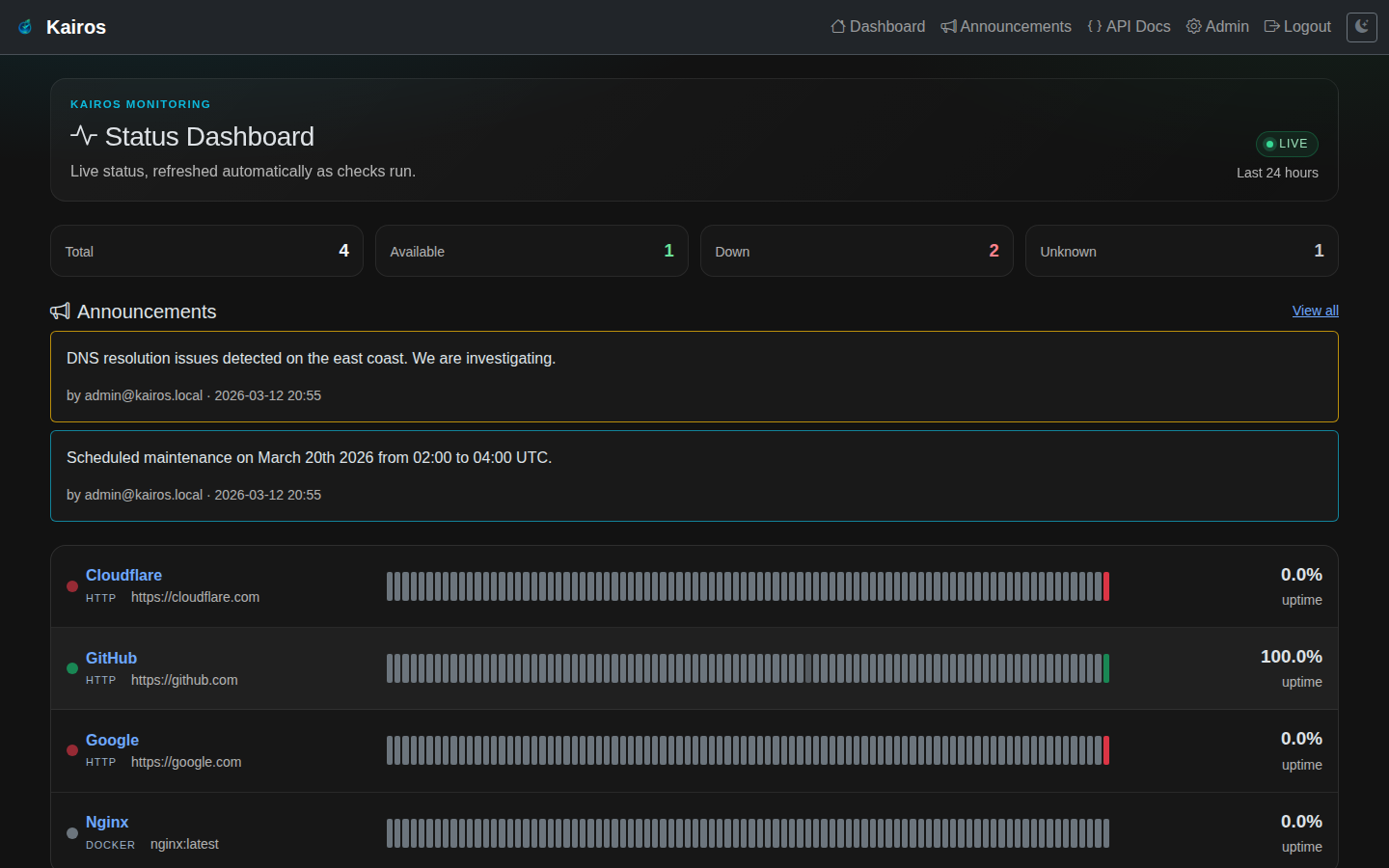
Kairos wraps this exact flow into a scheduled availability check. You configure a Docker image resource with the registry URL, image name, tag, and optional credentials. On each check interval, Kairos runs the three-step HTTPS flow above and records the result — available or unavailable — with a timestamp. The result feeds into the same uptime timeline and Prometheus metrics as HTTP checks, giving you a unified view of both service availability and image availability in one dashboard.
You can explore this feature and add your first image check at kairos.wenisch.tech.